You’re about to write a five-figure check to an agency you found on Google. Their portfolio looks great. Their sales deck is polished. Their promises are compelling.
But have you actually verified anything they told you?
Most buyers don’t. And that’s why 40% of web projects fail.
Here’s the forensic audit we run on agencies (and encourage clients to run on us).
Why Most Vetting Fails
Typical due diligence:
- Look at portfolio
- Check reviews
- Call references
- Sign contract
The problem: All of this can be faked.
- Portfolio sites can be stolen
- Reviews can be bought
- References can be friends
- Contracts can hide landmines
Real due diligence requires forensics.
The Wayback Machine Test
Before anything else, check if they have a history.
What the Wayback Machine Reveals
Go to web.archive.org and enter the agency’s domain.
Red flags:
- Domain registered last year but claims “15 years experience”
- No snapshots older than 6 months
- Completely different business in old snapshots
- Portfolio work that appears overnight
Green flags:
- Consistent snapshots over years
- Gradual evolution of design/content
- Same team members appearing consistently
- Old blog posts showing long-term expertise
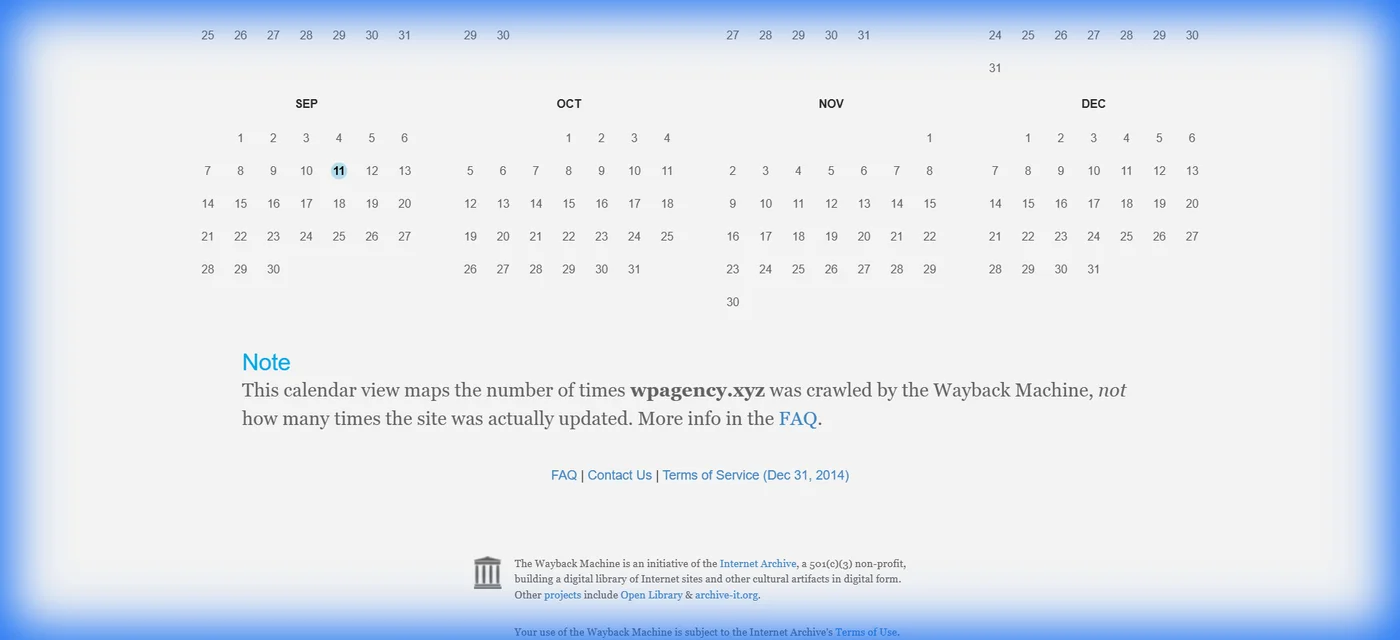
Example: Our domain (wpagency.xyz) shows snapshots going back consistently. The Wayback Machine is your BS detector.
How to Use It
- Enter agency domain in Wayback Machine
- Look at oldest snapshot
- Compare to current claims
- Check 2-3 snapshots per year
What you’re looking for:
- Does timeline match their “established” claim?
- Are portfolio pieces from claimed dates?
- Have they changed industries completely?
- Are they consistent or chaotic?
Red flag example: Agency says “Serving e-commerce since 2015” Wayback Machine shows: Restaurant consulting business until 2023
The Portfolio Forensics
Agencies love showing beautiful work. But did they actually build it?
The Reverse Image Search
How:
- Right-click portfolio screenshot
- “Search image with Google”
- See if it appears elsewhere
What you find:
- Stock template screenshot (not custom work)
- Another agency’s actual portfolio
- Photoshopped mockup, not real site
The Live Site Inspection
For each portfolio piece, visit the live site:
# In browser dev tools (F12):
1. View source (Ctrl+U)
2. Search for agency name in comments
3. Search for "Built by" or "Developed by"
4. Check footer credits
Questions to ask:
- Is this site actually live?
- Does it load fast (indicates quality)?
- Who is credited in the footer or source?
- When was it actually built?
The Technology Audit
Open dev tools and check:
- What platform is it on?
- Is the code clean or spaghetti?
- How many render-blocking resources?
- What’s the Lighthouse score?
If they claim “we build blazing-fast sites” but every portfolio piece scores 40/100 on PageSpeed… that’s your answer.
The Longevity Test
For each portfolio piece:
- Check domain WHOIS (who.is)
- See when domain was registered
- Compare to claimed project date
Red flag:
- “Built this in 2020”
- Domain registered in 2023
- Math doesn’t work
The Code Ownership Verification
This is where agencies hide gotchas.
Request GitHub Access
Before signing: “Can you show us the repository for a sample project?”
What you’re checking:
- Do they use version control? (Professional)
- Is code organized? (Maintainable)
- Are there tests? (Quality)
- How many contributors? (Team size verification)
Red flags:
- “We don’t use Git” (amateur hour)
- “Code is proprietary” (translation: locked in)
- Can’t show any code (what are they hiding?)
The Source Code Review
If they send sample code:
// Red flags to look for:
// 1. No comments
// 2. Single-letter variable names
// 3. Copied Stack Overflow code
// 4. Hardcoded secrets/passwords
// 5. No error handling
You don’t need to be technical. Just ask: “Can our CTO review a code sample?”
Their reaction tells you everything.
The Team Verification
Agencies love claiming they have “senior developers.” Verify it.
LinkedIn Stalking (It’s Legal)
For each team member they mention:
- Find them on LinkedIn
- Check employment history
- Verify skills match claims
- See how long they’ve actually been there
Red flags:
- Team member doesn’t list agency in employment
- Joined company last month (not “senior”)
- Skills don’t match proposed role
- Previous job was entirely different field
The “Who’s Actually Doing the Work?” Question
Ask directly: “Who specifically will be working on our project?”
Red flags:
- “Our team” (vague)
- Only sales guy’s name
- Offshore developers not mentioned upfront
- Different people at every meeting
Green flags:
- Introduction to actual developers
- Names and roles documented
- Developers join sales call
- Clear accountability chart
The Process Audit
How they work reveals quality.
The Project Post-Mortem Request
Ask: “Can you walk me through a project that went wrong and what you learned?”
Red flags:
- “All our projects go perfectly!” (liar)
- Blames clients for everything
- Can’t think of a single example
- Gets defensive
Green flags:
- Specific story with details
- Takes ownership of mistakes
- Explains what changed
- Shows systems for preventing recurrence
The Change Order Process
Ask: “What happens if we need to change scope mid-project?”
Red flags:
- “Everything’s billable at $200/hour”
- No formal change process
- Vague about costs
- “We’re flexible!” (translation: chaos)
Green flags:
- Documented change order process
- Estimates provided before work starts
- Clear approval workflow
- Examples of past change orders
The Financial Health Check
Some agencies are months from bankruptcy. Don’t be their Hail Mary.
The Public Records Search
Check:
- Better Business Bureau complaints
- Court records (lawsuits)
- State business registration
- Tax lien searches
Red flags:
- Multiple lawsuits from clients
- BBB rating below B
- Recent bankruptcy filing
- Not registered in claimed state
The Payment Terms Analysis
Standard industry:
- 30-50% deposit
- Milestone-based payments
- Net 30 for retainers
Red flags:
- 100% upfront (desperate)
- Monthly retainer without deliverables
- Payment before seeing any work
- Vague milestone definitions
The Insurance Verification
Professional agencies carry:
- General liability insurance
- Errors & omissions (E&O) coverage
- Cyber liability insurance
Ask: “Can you provide a certificate of insurance?”
If they don’t have insurance, you’re assuming all the risk.
The Real Work Examples
Talk is cheap. Proof is everything.
The Case Study Deep Dive
For their best case study, ask:
-
“Can we talk to that client?”
- Red flag: “They’re too busy”
- Green flag: Direct introduction
-
“What was the actual result?”
- Red flag: Vague “increased traffic”
- Green flag: “47% conversion increase, here’s Analytics”
-
“What went wrong on this project?”
- Red flag: “Nothing!”
- Green flag: Honest about challenges
The Live Demo Request
For complex work: “Can you show us a similar project working live?”
What you’re checking:
- Does it actually function?
- Is it fast and smooth?
- Does it break under load?
- How’s the mobile experience?
The Contract Forensics
The contract reveals everything they didn’t say.
Dangerous Clauses to Catch
1. IP Ownership
- Red Flag: “All work remains property of Agency”
- Standard: “Client owns all code and content upon full payment”
2. Termination Terms
- Red Flag: “90 day notice required”
- Standard: “30 days notice, work-in-progress transferred”
3. Hosting Lock-In
- Red Flag: “Must use our hosting partner”
- Standard: “Client controls hosting platform”
4. Rate Escalation
- Red Flag: “Rates may increase at our discretion”
- Standard: “Annual 3% increase, capped”
5. Vague Scope
- Red Flag: “Professional website design”
- Standard: “12 unique pages, responsive, WCAG AA compliant”
The “What’s Not Included” Check
Ask explicitly:
- What happens after launch?
- Who handles security updates?
- Is training included?
- What about content migration?
- Are these hours or deliverables?
Get it in writing.
The Reference Check Protocol
Don’t just call references. Interrogate them.
Questions References Don’t Expect
1. “What went wrong?”
- Everyone has problems. How did they handle it?
2. “What would you do differently?”
- Reveals what they learned the hard way
3. “What surprised you?”
- Uncovers hidden costs or processes
4. “Would you hire them again?”
- If there’s hesitation, dig deeper
5. “What didn’t they tell you upfront?”
- The red flags you need to know
The Backcheck
After the call:
- LinkedIn search the reference
- Are they actually who they claim?
- Do they work where they say?
- Is their relationship to the agency disclosed?
Fake references are common.
The Technical Standards Audit
For any site they claim to have built:
Run Lighthouse Audit
# In Chrome DevTools:
1. F12 (Open DevTools)
2. Lighthouse tab
3. Generate report

Check:
- Performance score
- Accessibility score
- SEO score
- Best practices
If they claim “premium quality”:
- Performance should be 90+
- Accessibility should be 90+
- SEO should be 90+
Anything less? Their definition of “quality” differs from yours.
Check Mobile Responsiveness
Test on real devices:
- iPhone (Safari)
- Android (Chrome)
- Tablet (both)
Red flags:
- Horizontal scroll
- Tiny text
- Broken layouts
- Missing functionality
Security Scan
Use: securityheaders.com
Check for:
- HTTPS everywhere
- Security headers present
- No mixed content warnings
- Recent SSL certificate
Red flag: If their own site fails security basics, your site will too.
Real-World Example: TotallyYamaha
We manage TotallyYamaha.com, one of the largest snowmobile communities. Here’s how you’d vet our work:
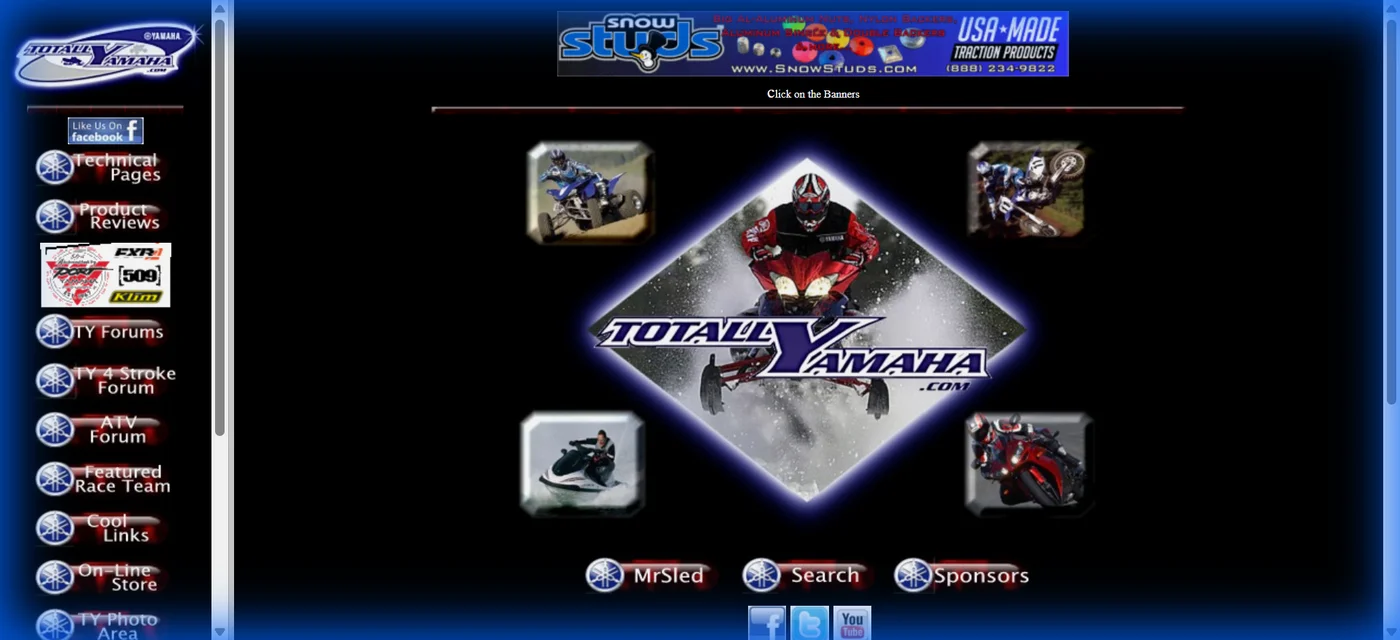
Wayback Machine Check:
- Site history goes back to early 2000s
- Consistent presence for 15+ years
- Evolution is gradual, not sudden
Live Site Audit:
- Currently online and functional
- Forum with active daily posts
- Fast load times
- Mobile responsive
Client Verification:
- Owner Tom Grawey publicly associated
- Testimonial on our About page
- Can verify relationship via public forum posts
Technical Standards:
- Custom XenForo implementation
- Optimized for high traffic
- Regular updates maintained
- 99.8%+ uptime
This is what vettable work looks like.
The Questions That Reveal Truth
Technical capability: “What’s your deployment process?”
Business stability: “What percentage of revenue is recurring clients?”
Honesty test: “Why should we NOT hire you?”
Values alignment: “What client requests do you refuse?”
Cultural fit: “How do you handle disagreements with clients?”
Listen to HOW they answer, not just WHAT they say.
Red Flags Summary
Run if you see:
- No way to verify portfolio
- Can’t meet the actual team
- Pressure to sign immediately
- 100% payment upfront
- No insurance
- Vague contracts
- Can’t show code
- Defensive about questions
- No online presence history
- Stolen portfolio work
One red flag? Investigate.
Three red flags? Walk away.
Green Flags Summary
Signs of a real partner:
- Verifiable work history
- Transparent about process
- Introduces actual team
- Reasonable payment terms
- Clear contracts
- Shows code willingly
- Honest about failures
- Documented standards
- Long-term clients
- Professional credentials
The Due Diligence Checklist
Before first call:
- Wayback Machine check (5 min)
- Portfolio reverse image search (10 min)
- Team LinkedIn stalking (15 min)
- BBB/complaint search (5 min)
During vetting:
- Request code samples
- Run site audits on portfolio
- Check domain registration dates
- Verify claimed timelines
- Meet actual team members
Before signing:
- Contract forensics review
- Call 3+ references
- Request insurance certificate
- Verify IP ownership terms
- Document scope explicitly
Total time: 4-6 hours
Value: Preventing a $50,000-$200,000 mistake
Our Approach (Full Transparency)
We encourage clients to:
- Check our Wayback Machine history
- Audit TotallyYamaha.com live
- Call our long-term clients directly
- Review our code on GitHub (upon request)
- Verify our business registration
- Question every claim we make
Why: Because if you don’t vet us, you’re not being professional.
And we don’t want amateur clients any more than you want amateur agencies.
The Bottom Line
The time to catch lies is before you sign.
Run the audit. Do the forensics. Verify the claims.
The agency that welcomes scrutiny is the agency you can trust.
The agency that resists? That’s your answer.
Related Articles
- Choosing a Web Development Partner — The vetting framework we wish clients used before meeting us.
- Hiring Red Flags: Web & Marketing — Warning signs experienced hiring managers catch instantly.
- Choosing the Right Partner for Your Digital Project — How to evaluate potential partners for your next project.
Want a partner who stands up to forensic scrutiny? Put us through the audit. We’ll answer every question honestly because we have nothing to hide.